Inkarnate Map Tool - New Skill Unlocked!!!
Hello there, you peculiar fruits dangling from some alien tree— the kind a lone space explorer spots in a classic space‑horror film, right before they crack open, swallow him whole, or make his face melt off and sprout tentacles. The sort of scene that would make John Carpenter laugh maniacally.
^ All this is probably from watching Alien Earth with my girlfriend, its a decent show - give it a watch. Its on Disney + and its been renewed for a second season as well.
God I love Alien - who knows, I might even write my own Alien inspired Troika supplement... more on that in another post me thinks.
MAP ASSET MAKING!
So, on to the actual blog post. I follow a lot of different map‑makers on Reddit, and some particularly lovely folks—like the one linked below—have put together great tutorial videos on creating your own assets from real‑world maps. This is extremely cool and should help me make far more realistic maps. I’m planning to put this to use by making an Istvaan III map for me and my brother to use in our upcoming Warhammer 30K Horus Heresy narrative campaign. You know, the one where the Sons of Horus betray and bombard the last of the loyalist Emperor’s Children. Good, wholesome family fun.
The tutorial explains it better than I ever could, but in very simple terms: you head over to a relief map site like https://maps-for-free.com, find a mountain range or terrain shape you like, and snip it out. The terrain examples below are from Japan - around the Shizuoka and Yamanashi Prefectures—basically the Fuji region. Top tip: if you want clean terrain without extra clutter, make sure you’ve unticked “rivers” and any other overlays on the relief map site. Strip it back so you’re only looking at the raw terrain.
Next up: using the trusty snipping tool. Set it to free‑draw, trace the terrain you want, save your newly outlined mountain range, and then upload it to Inkarnate as an asset via the Art Manager. Boom—instant realistic mountains. After that, it’s all about tinkering: saturation, opacity, map layers, brush layers… the fun stuff. User Immediate‑Project922 walks through all of this in the video tutorial linked (further) below.
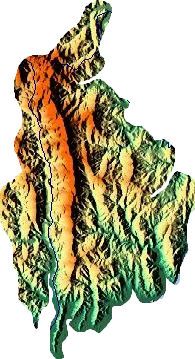
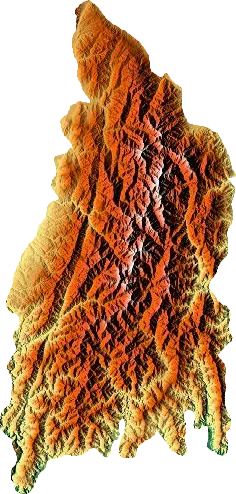 (My snips from mountain ranges in Japan)
For the campaign map idea, I did a little experimenting by grabbing a snippet from a piece of Games Workshop art—a Hive City on Holy Terra. Same process, same result, and honestly I’m really pleased with how it turned out. Obviously this is all for personal use; I’m not planning to sell any of these maps. I can only imagine the absolute legal and moral nightmare of snipping someone’s artwork and trying to pass it off as your own to make money. Hard pass.
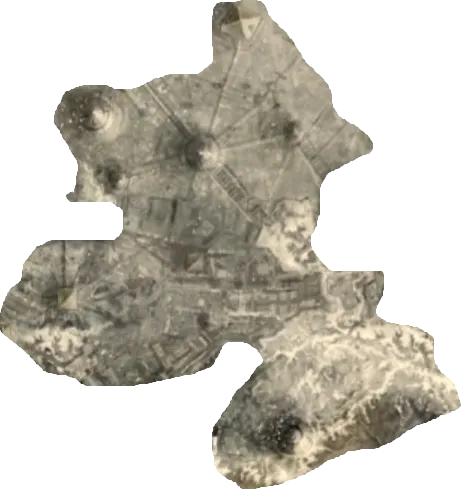
Here is what I have made using the skills above:
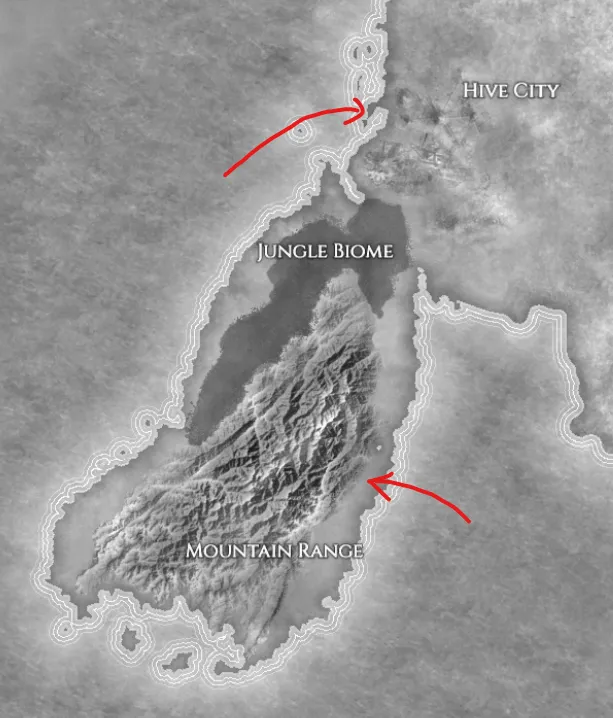
Below I have linked the reddit tutorial by Immediate-Project922 , big thanks to this Redditor: Link to Reddit Post
Thank you for reading,
May your golden barge never lose itself in the frothing tides of the cosmos. I hope it always finds its way back to the City of Troika… and, ideally, with you still aboard. Otherwise it’s absolutely getting stripped for parts by Jawas*.
- Copyright safe - "Tawas"